Rotate your Apple OAuth key in 30 seconds.
Sign in with Apple forces you to regenerate the client secret every 6 months. This native macOS app generates it locally from your .p8—nothing is sent to an Apple Keys server for signing.
Compare to manual
7 steps in the portal. 3 in Apple Keys.
Same outcome. A 130× speedup. Same `.p8`, same ES256-signed JWT — just without the dread.
Log into Apple Developer portal & find your Services ID
5 minOpen Apple Keys & pick your saved profile
5 secLocate Key ID, Team ID, Services ID across pages
5 minhandled automatically
Download (or re-download) the .p8 signing key
3 minDrag the .p8 into the drop zone
5 secRead Apple's JWT spec — header, claims, ES256
10 minhandled automatically
Write or copy a Python/Ruby script using PyJWT or jwt gem
10 minhandled automatically
Run the script, debug ES256 / PEM errors
8 minClick Generate — JWT appears, signed with ES256
1 secCopy the JWT into env vars on every server & redeploy
4 minCopy to clipboard, paste into your secret manager
10 secTimes are honest estimates for a developer who's done it once before. First-timers usually spend 90+ minutes on the manual flow.
Drop. Click. Done.
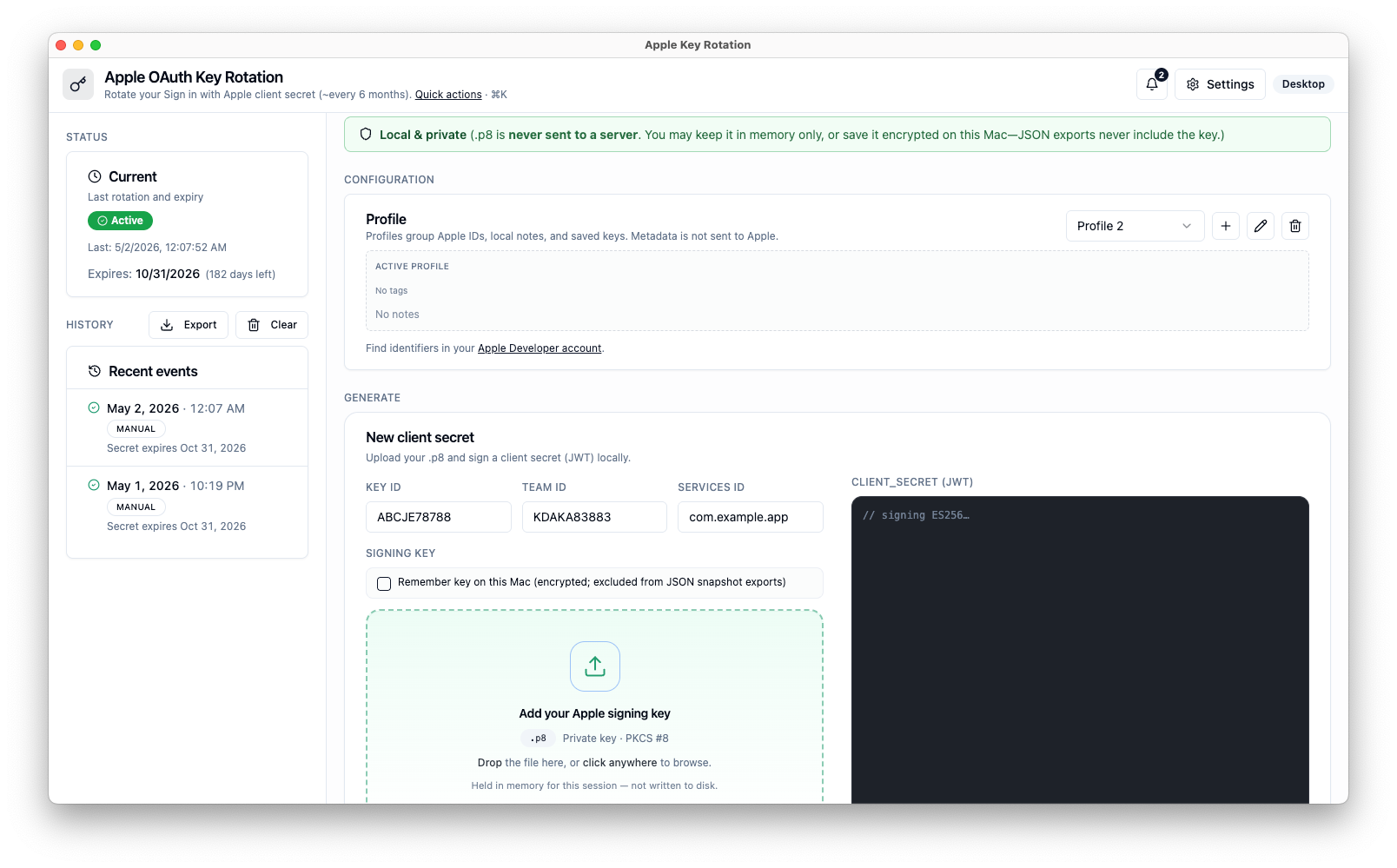
Watch a full client secret rotation in under three seconds.
Signing key
AuthKey_ABC123DEF4.p8
241 bytes · PKCS#8
Drop your .p8 here
Key ID
ABC123DEF4
Team ID
9Y876ZABC1
Services ID
com.aiherrera.app
client_secret (JWT)
Illustration only—not the downloadable Mac app.
Built for developers who'd rather ship.
No SaaS upload
Signing runs locally in the sandboxed macOS app. Apple Keys never receives your `.p8`—there is no server-side key handling.
30-second rotation
Drop key, generate, copy JWT—with decoded payloads and expiry so you’re never guessing.
Profiles that scale
Dedicated profile editor: Key ID, Team ID, Services ID, tags, and notes across prod/staging—stored only on your Mac.
Rotation history
Track runs and expiry thresholds. Add rotation notes, export snapshots—exported JSON may include client secrets (treat exports like passwords).
Three steps. That's it.
Add your Apple identifiers
Use the profile editor: Key ID, Team ID, Services ID, plus optional tags and notes—saved only on this device.
Load your .p8
Drag your `.p8` from Apple—or open it from disk. Optionally store it securely in Keychain so you skip reloading next time.
Generate & copy
One click produces a fresh ES256 JWT with clear expiry. Copy it into your env or secret manager.
Your secrets stay yours.
No telemetry-backed key handling by us. Signing happens inside the sandboxed macOS app—offline-capable—with optional Keychain-backed storage for identifiers and, optionally, your `.p8`. Successful generations appear in rotation history so you can copy again later; exported JSON snapshots can include client secrets—treat backups like credential exports.
What's new.
You're on v1.1.0 — download builds align with GitHub Releases.
Pulled from GitHub Releases.
- See release notes on GitHub.
- Updated the Mac app icon and Dock / Finder appearance
- Added a small script so future icon changes stay consistent
- Dropped unused web placeholder assets from the bundle
- Initial public release
- Drag-and-drop .p8 signing with ES256
- Multiple profiles (Key ID / Team ID / Services ID)
- Rotation history with expiry tracking
- Universal binary — Apple Silicon + Intel
Questions, answered.
Stop dreading rotation day.
Free forever. Download once for your Mac — optional Keychain storage, reminders, and local rotation history included.
Built by Alain Iglesias · Love it? Sponsor